
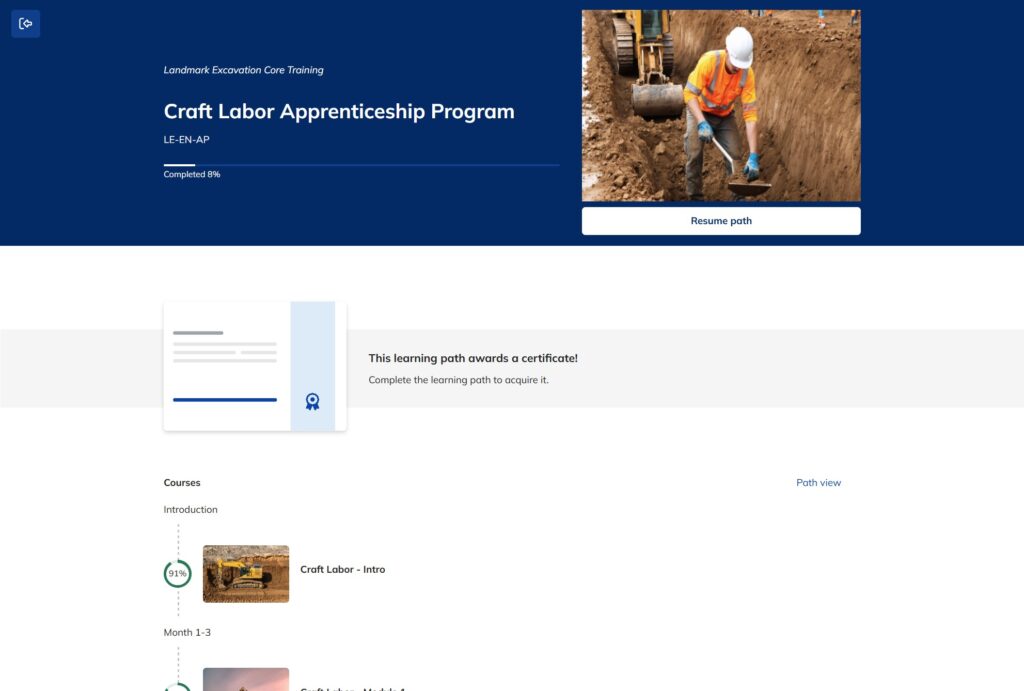
hybrid apprenticeship Program
Apprenticeship Program LX
Background Information
Organization: Landmark Excavating Inc.
Organization Type: Construction Company
Client: Landmark’s HR department
Audience for the project: Field workers such as laborers, operators, foreman, superintendents.
Problem/Issue
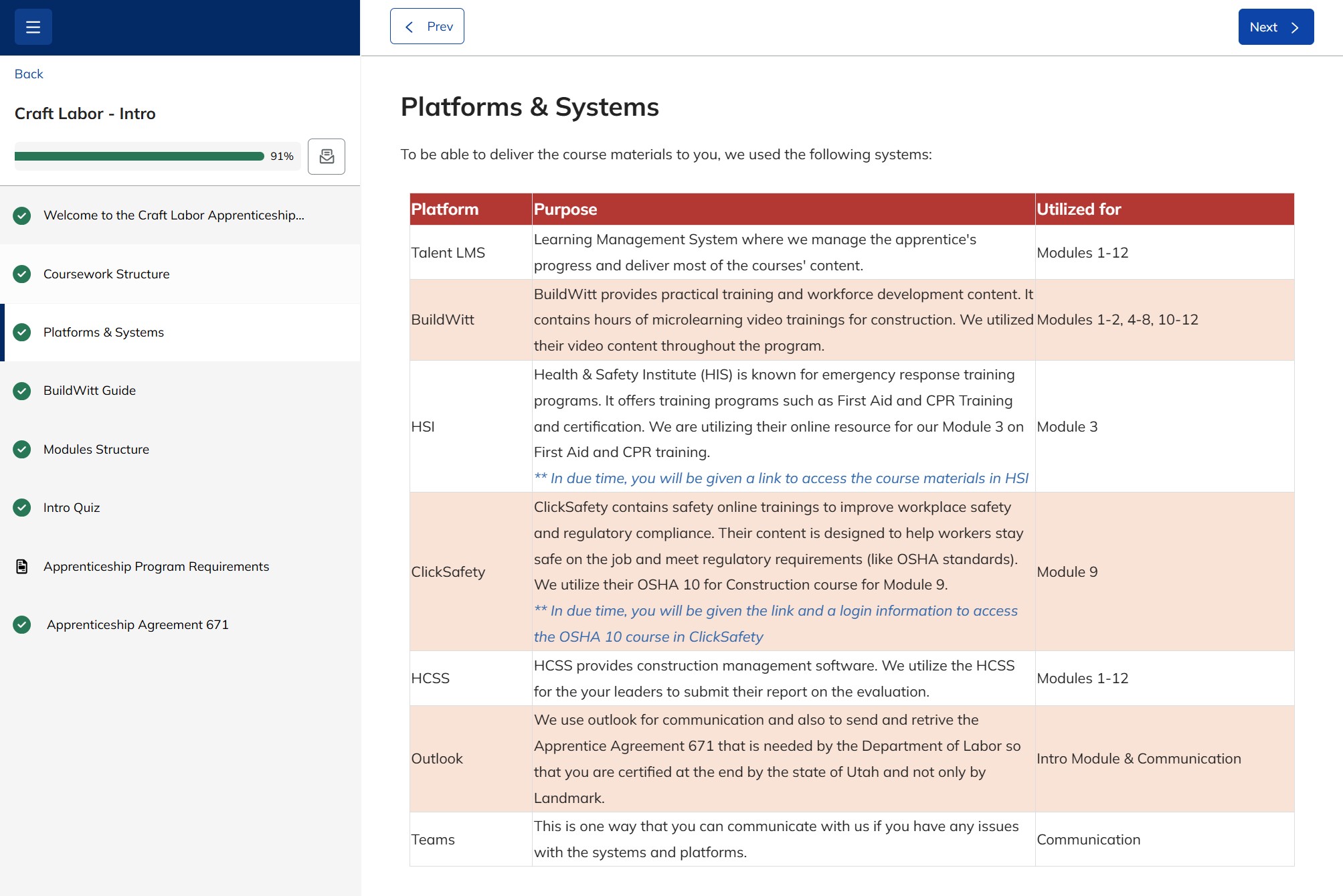
Landmark had speedily created an apprenticeship program for their field workers to obtain Craft Labor certification by the US Department of Labor. The content was valuable, but the delivery of the content to the apprentices was too complex. They had 5 different systems where the content lived. Apprentices didn’t have instructions on the roles and importances of each systems and content.
Solution
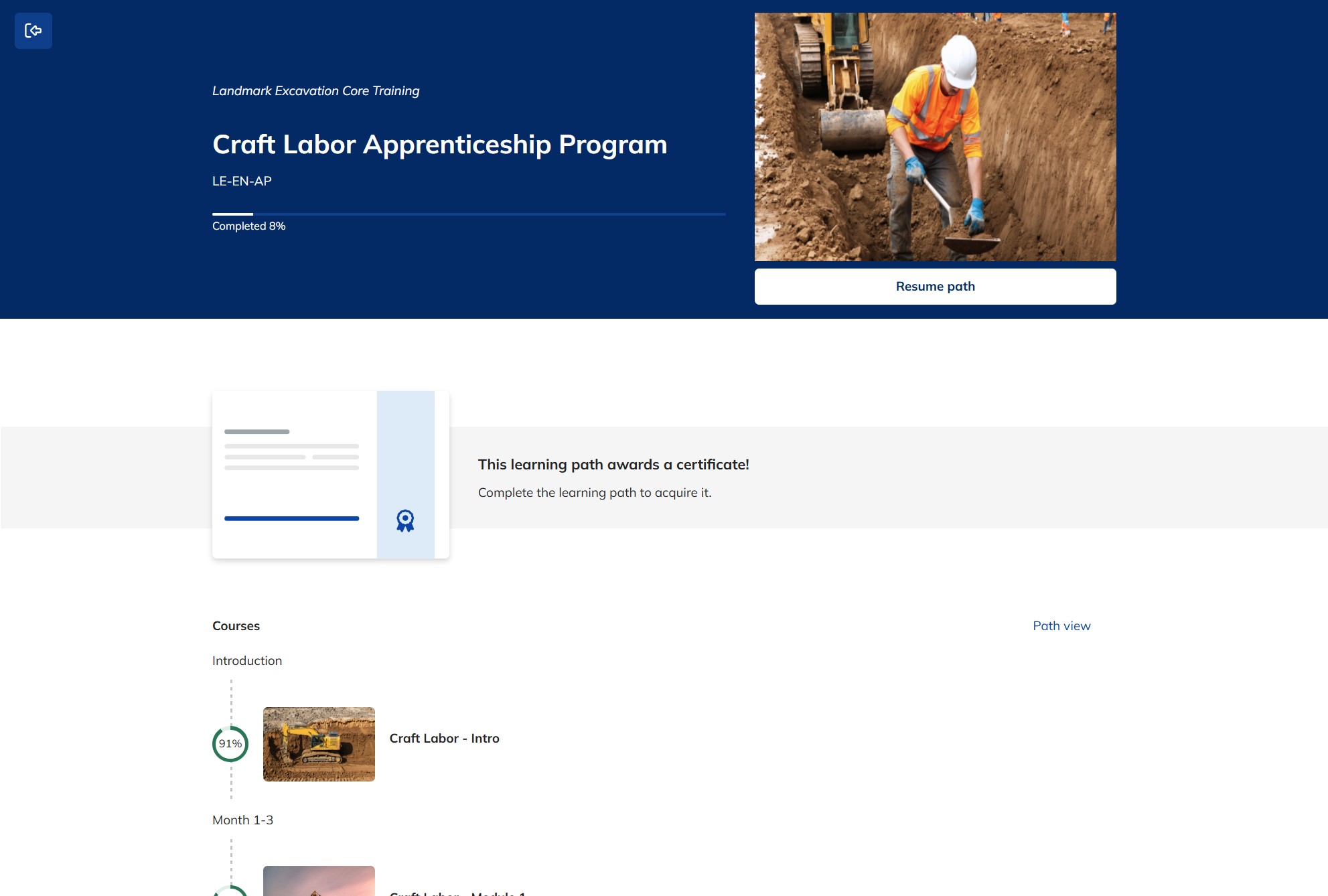
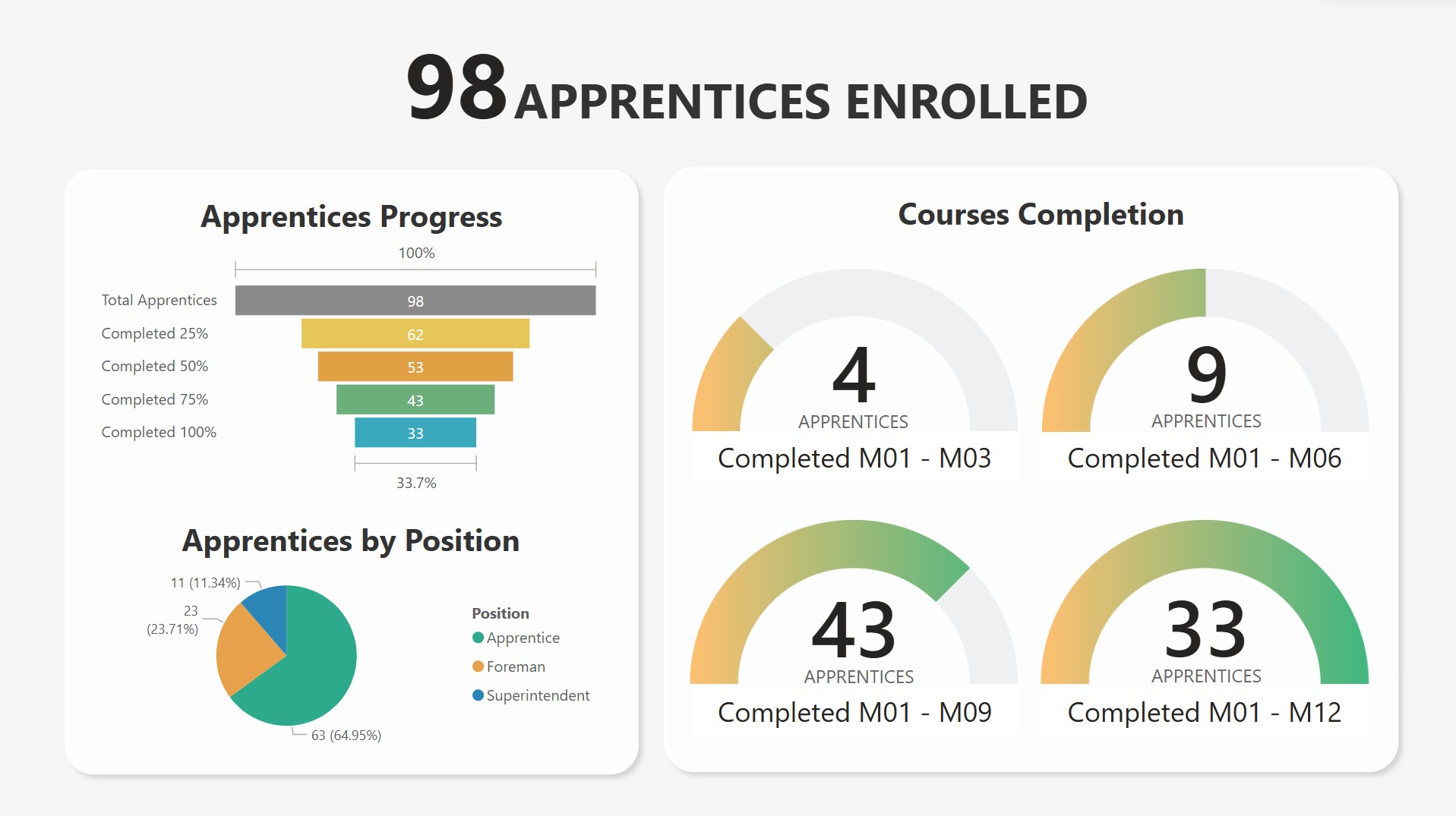
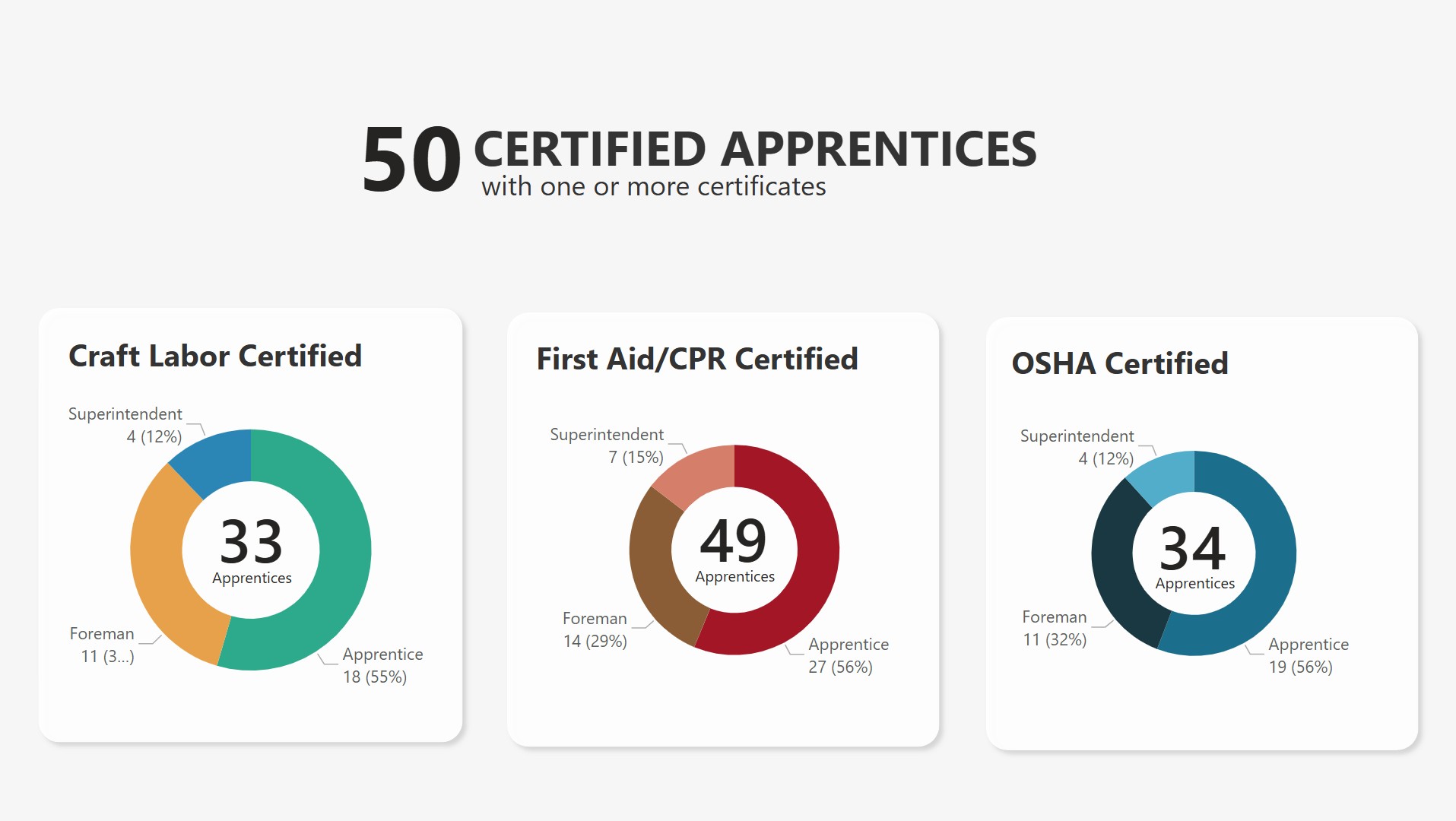
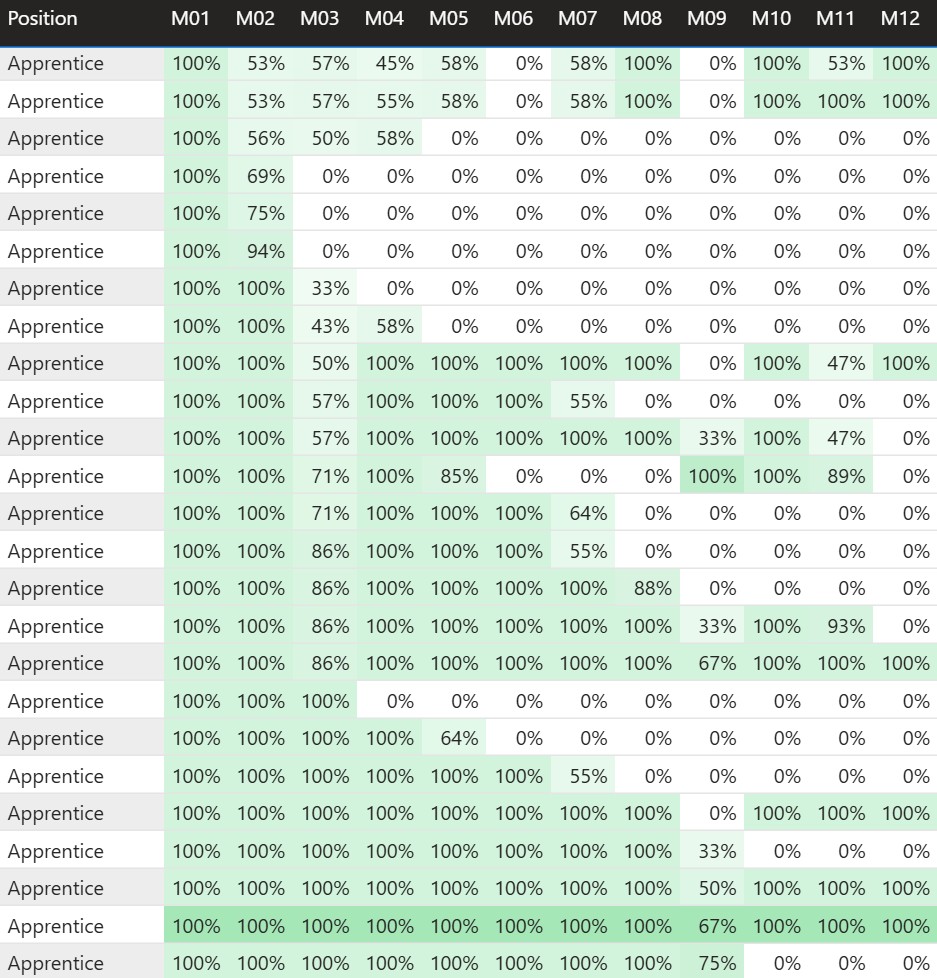
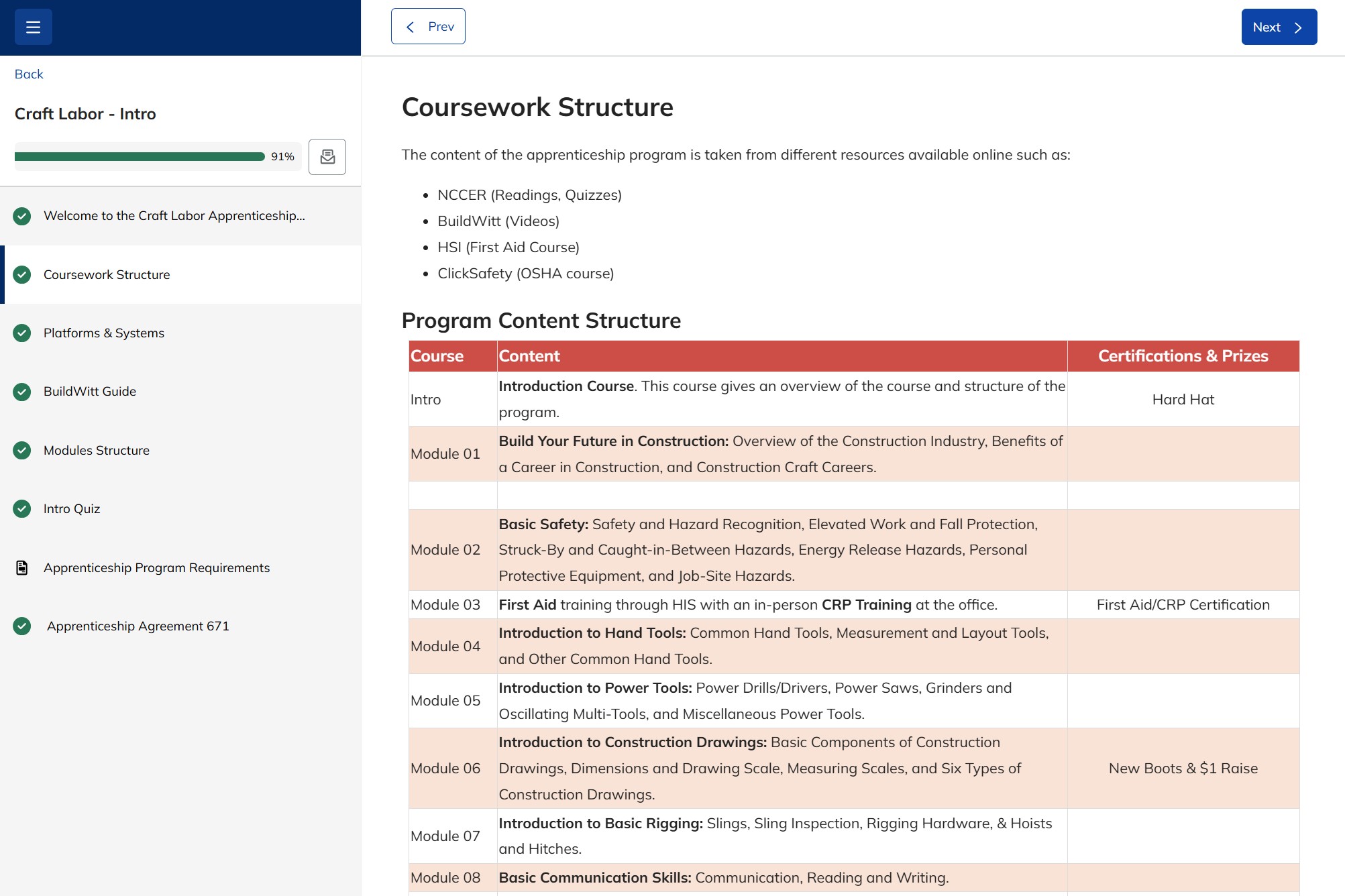
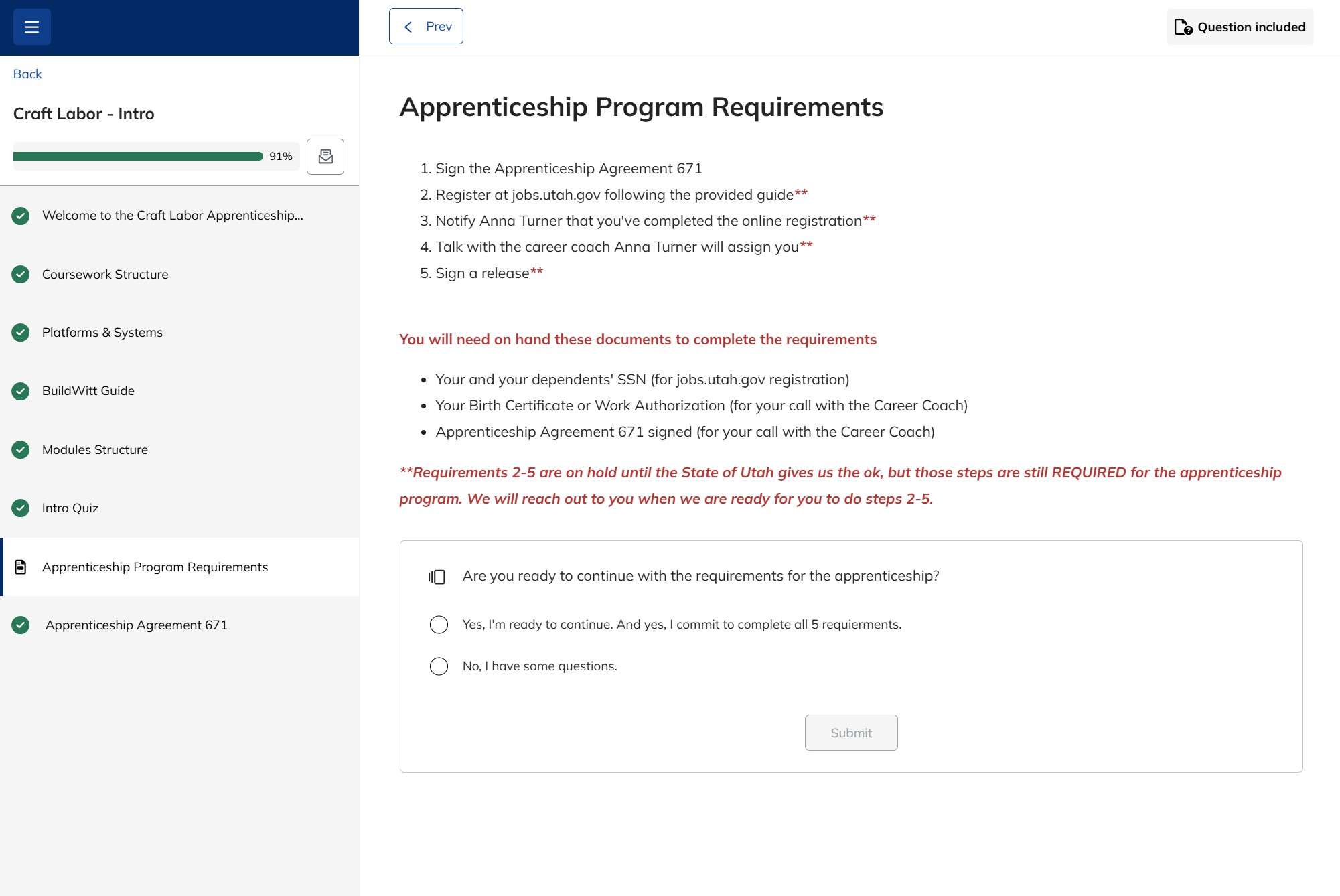
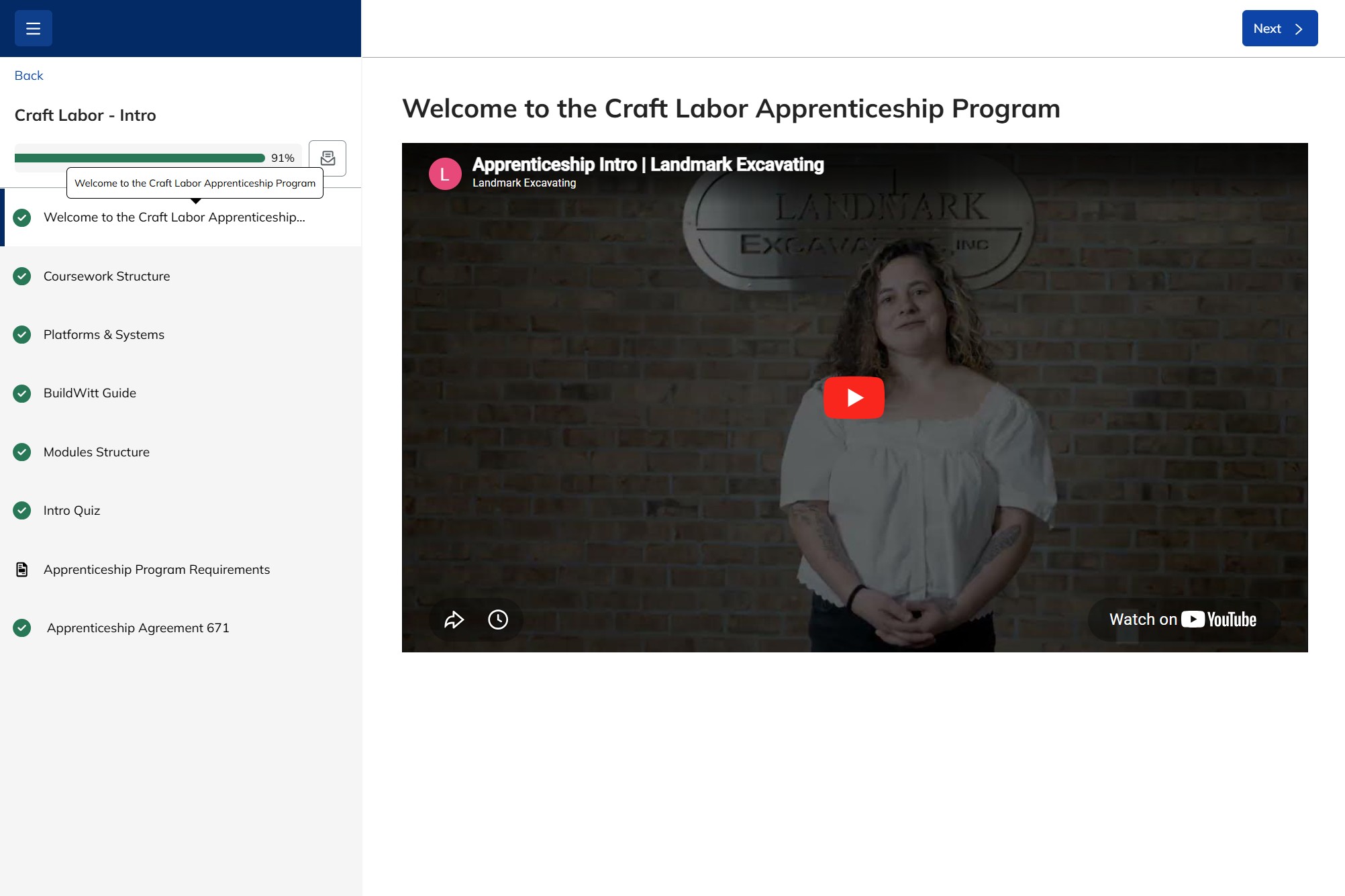
Used one platform to unify the apprenticeship program/learning path. Also added an into module to the program with clearer written instructions for the learners to follow. The intro module explained the role of each system and what was expected of the apprentices. Also created weekly reports to show their progress accross all systems.
Platform: Talent LMS
My Roll in the Project
Training Program Coordinator, Instructional Designer, Reporting Analyst, & Graphic Designer
Highlights
- Collaborated with the systems team get a better understanding of what each system brought to the program and how each worked.
- Because of the high demand we adapted by creating an intro course and creating a learning path within the LMS.
- Asked for feedback often from the apprentices and analyzed their questions on what was expected from them.
Showcase
Technical Skills
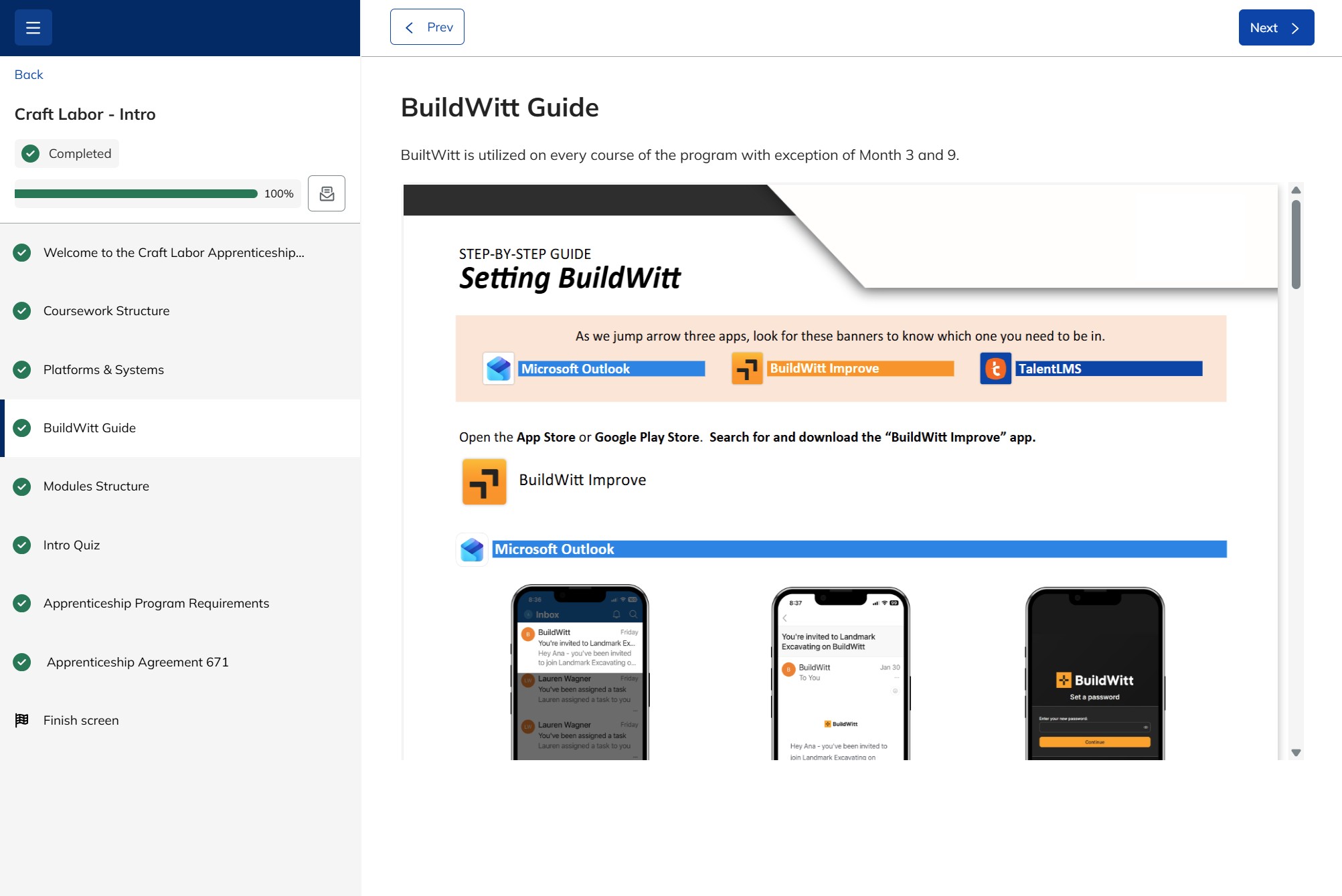
- Graphic Design: Used to design the layout of the step-by-step guides.
- Instructional Design: Organized course content and created instructions to guide the apprentice.
- LX Designer: analyzing apprentices’ experience and administration processes.
- Reporting Analyst: merging reports of 5+ different systems.
Tools Used
- Talent LMS: Used to deliver all the different pieces of the course in one place.
- InDesign: Used to create the step-by-step guides for the apprentices.
- Excel: Used to build the reporting and later to create the databases for Power BI.
- Power BI: Used to create the reports.